How Drops Work: Received, Earned and Your River Bank
Give River counts a few different kinds of drops, plus two habit meters. Each number in the app says which kind it is and over what period (for example "Drops received · all time" or "Resets in 3 days"). This page is the glossary behind those labels.
Glossary
| Term | What it counts | Scope |
|---|---|---|
| Drops to give | Drops your team gives you to recognize teammates. You can't spend them in the Drop Shop. | Per cycle. They reset every week or month (your admin decides), and unused ones don't roll over. Shown as To give with "Resets in N days". |
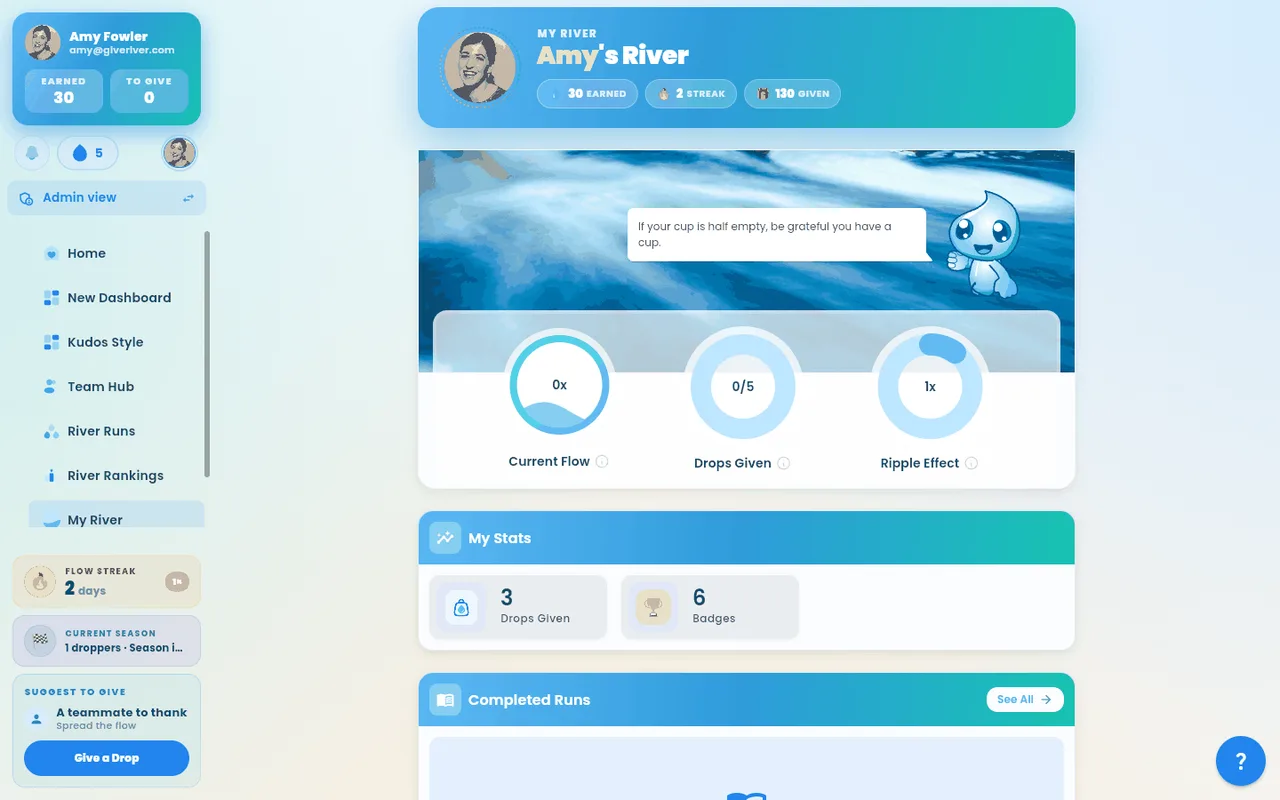
| Drops given | Drops you've sent to teammates. | All time on My River's stats. Given this cycle on the My River ring counts only this cycle's regular allowance. |
| Drops received | Drops teammates have sent you. | All time (My Drops card, My River stats). |
| Drops earned | Drops you get from activities, not from people: River Runs, reflections, surveys, challenges and other activities. | All time on My River's stats. Drops earned in River Runs' stats strip counts River Runs only. There's a per-cycle limit on how many you can earn. |
| River Bank | What you can spend in the Drop Shop: the drops you've received and earned, minus what you've redeemed. | Your current balance. Shown as To spend. |
| Flow level | Your daily-visit habit, from 1× to 4×. It goes up by one on each new day you open Give River, and today's visit always counts. Stay away for more than 3 days and it slips by one for each extra day. When your admin turns it on, your Flow level multiplies the drops you earn and receive. | Right now. Shown on the Home welcome card ("Your Flow level is 2×"), the Flow level ring on My River and the welcome-back slides. |
| River Runs streak | How many days in a row you've spent time in River Runs, watching or finishing a lesson. Come back before the reset window runs out, or it starts again from zero. | Right now. Shown on My River (with "Days in a row in River Runs") and in the stats strip at the top of River Runs. |
Flow level and River Runs streak are separate: opening Give River raises your Flow level, but only River Runs time extends your River Runs streak.
On River Rankings, the line above the podium says what the leaderboard counts (for example "Drops received from teammates") and the period you picked in the date filter. Combined means drops given plus drops received.
The small ⓘ next to Flow level and River Runs streak opens the same explanations.
How you receive drops
You receive drops whenever a teammate sends them to you as part of a recognition post or drop message. There are two main ways this happens:
Direct drop on a post: a colleague opens your post, taps the Give Drops button, selects an amount, and confirms. The drops come out of their drops to give and land in your River Bank, and a comment is automatically added to the post: "[Name] gave [N] drops to @[You]."
Drop message (Send a Drop): a colleague uses the Send a Drop flow to write you a recognition message with drops attached. See How to Send a Drop for the sender's perspective.
How you earn drops
You earn drops by taking part: finishing River Runs lessons, sharing reflections, answering surveys, and completing health challenges and dares. The phone app's to give bubble opens a breakdown that includes how many drops you can still earn this cycle.
Viewing your drops
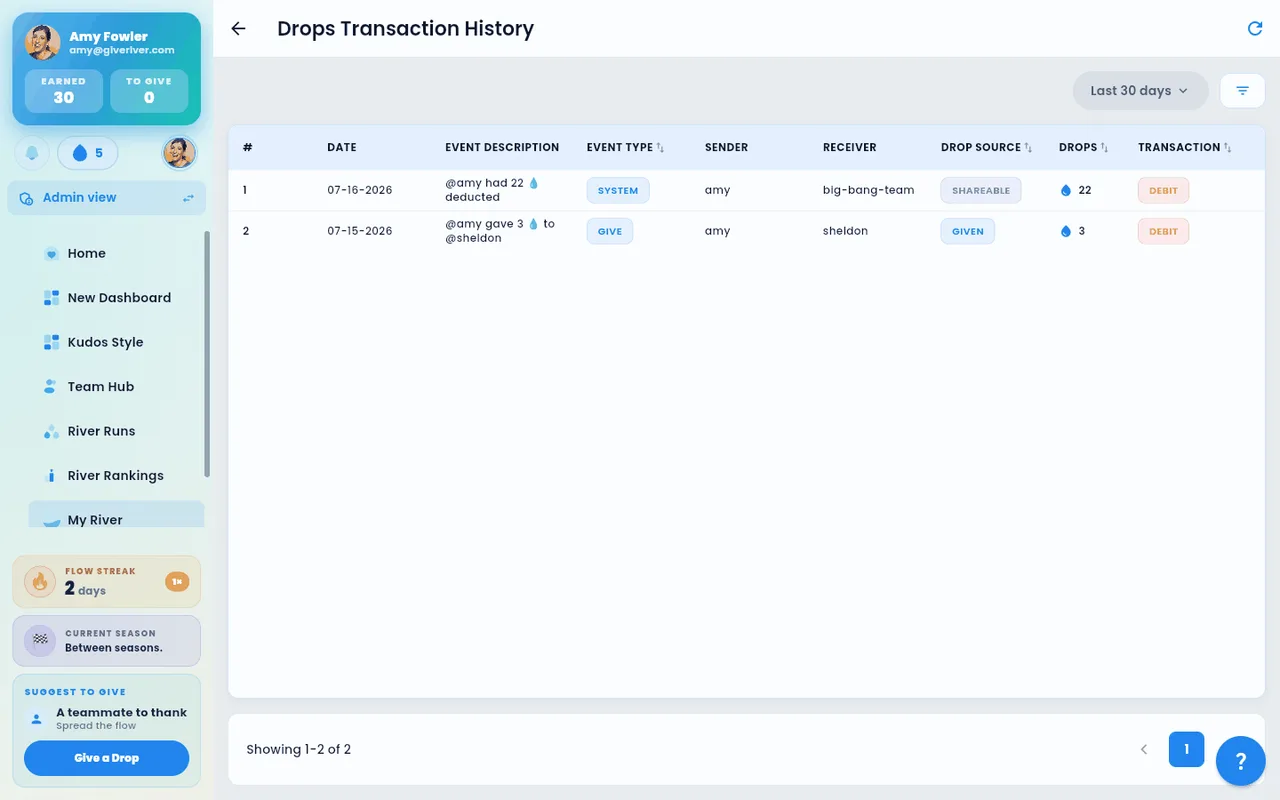
- Home › My Drops: To give (resets each cycle), Received (all time) and To spend (your River Bank).
- My River › My Stats: Drops given · all time, Drops received · all time and Drops earned · all time, plus your River Bank.
- My River › transaction history: every drop in and out, with its source.
Redeemable drops
Depending on your organization's configuration, your River Bank can be spent on rewards in the Drop Shop.
Tips
- Received drops are recorded in real time. Your River Bank goes up as soon as someone sends you drops.
- The automatic comment that appears on a post when drops are sent gives everyone in the feed visibility into recognition moments, even if they missed the original post.
- There is no cap on how many drops you can receive. Your teammates are only limited by their own drops to give.
Did this article help?
Related articles.
See the platform in action.
Free for up to 25 members, or try Core or Growth free for 30 days. A card is required; Free is never charged, and a trial bills when it ends unless you cancel.