Assessments
An assessment is a short check your team assigns you: a little reading, then a few questions. You need a certain score to pass, and you may have a set number of tries. Passing completes it, and can earn you Drops.
Where to find your assessments
When you have an assessment, it shows up:
- in Dailies on Home, as an Assessment item with its due date (the most urgent one first);
- on the My assessments card on Home, on My River and on the Team Hub.
Tap an item to start it, or See all to open My assessments. You get a notice when an assessment is assigned to you, before it's due and when it's overdue.
My assessments
My assessments lists what you still have to do under To do, and what you passed under Completed.
Each assessment to do shows its due date, its status, how many pages there are to read, the number of questions, the pass mark, your tries, about how long it takes and the Drops for passing. Tap Start (or Continue) to take it.
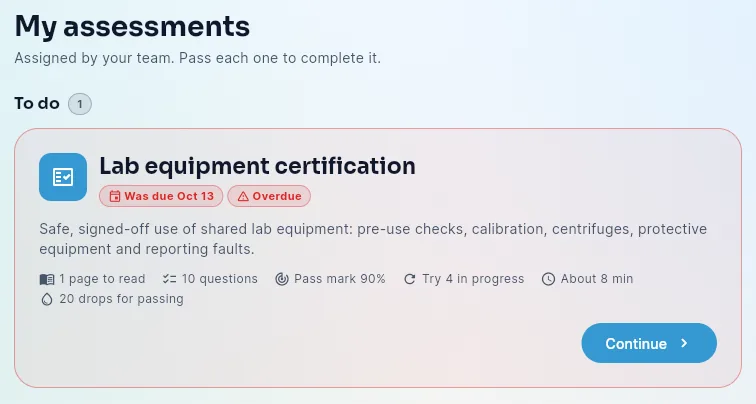
Statuses:
| Status | What it means |
|---|---|
| Not started | You haven't opened it yet |
| In progress | You've started, or tried without passing and have tries left |
| Overdue | The due date has passed and you haven't passed it yet |
| Out of tries | You used every try without passing |
| Passed | You're done |
Taking an assessment
- Read first. If the assessment has reading pages, they come first. Tap Next page, then Continue to questions. On a computer, the panel on the right shows the pass mark, your tries, the time and the Drops, and lists the pages and questions.
- Answer the questions. One question at a time; tap Next to move on and Submit answers on the last one. On a phone, Back and Next stay at the bottom of the screen. Your try starts when you answer the first question, so opening the questions and leaving doesn't use a try. You can't change your answers after you submit.
- See your result.
Your result
- You passed — your score, how many you got right, and the Drops for passing (paid once, the first time you pass). Depending on your team's settings you also see Your answers with the right ones; tap Show all to see every question.
- Not passed yet — your score, the pass mark you need and how many tries you have left. Your best try counts. If your team shows the right answers after each try, your answers are listed too. Tap Review the reading for another look, then Try again. The box above the questions then shows which try you're on and how many are left after it, for example Try 2 of 3 · 1 try left after this one, or Try 3 of 3 · last try (extra tries your admin allowed are counted).
- No tries left — your best score and the pass mark you needed. Tap Request another try: your admins and your manager are told. When they allow it, you get a notice and can take it again. Until then, the button shows Another try requested.
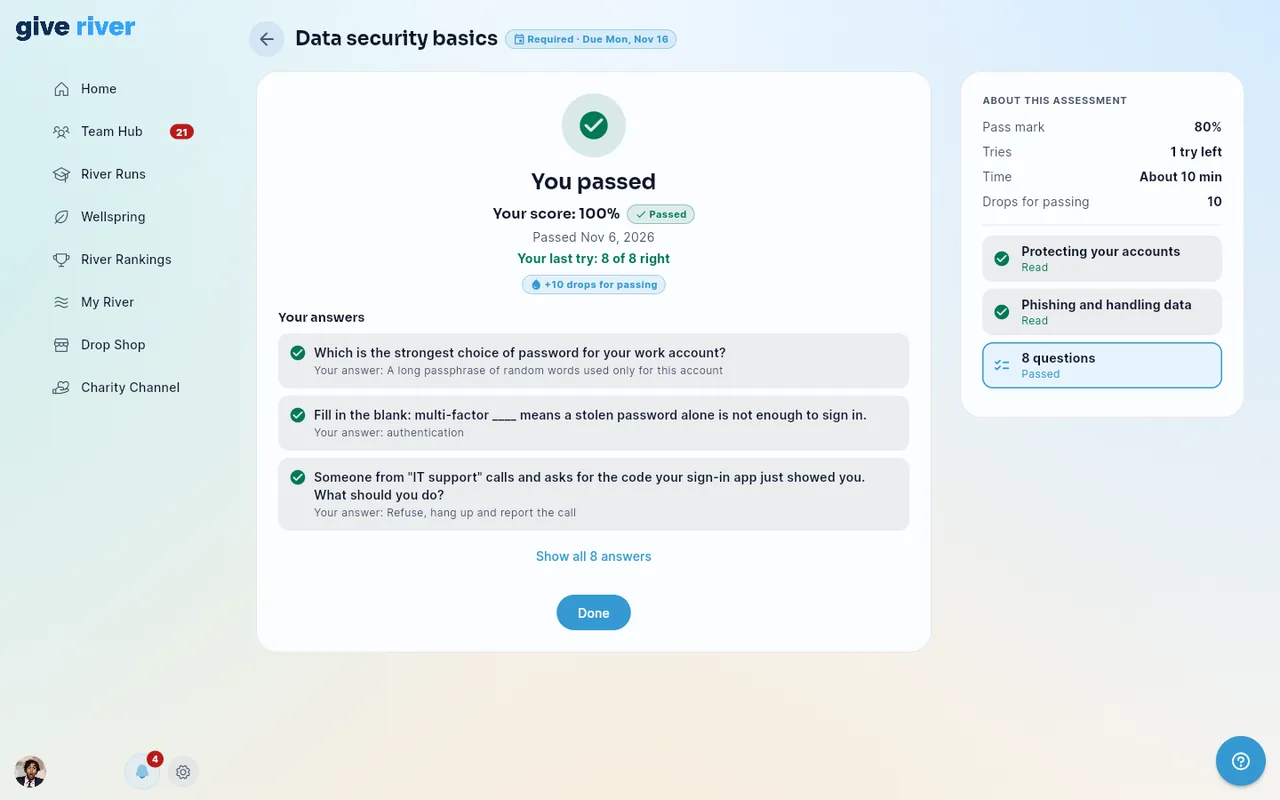
You can go back to the reading at any time, between tries too.
Good to know
- Your best try is the one that counts.
- Whether you see the right answers depends on your team's setting: never, after you pass, or after each try.
- Assessments aren't part of River Runs: they don't show in your River Runs list or count toward River Runs badges.
Related articles
Did this article help?
Related articles.
See the platform in action.
Free for up to 25 members, or try Core or Growth free for 30 days. A card is required; Free is never charged, and a trial bills when it ends unless you cancel.